WebSockets (WSS): 8 Concepts Every Backend Engineer Should Know
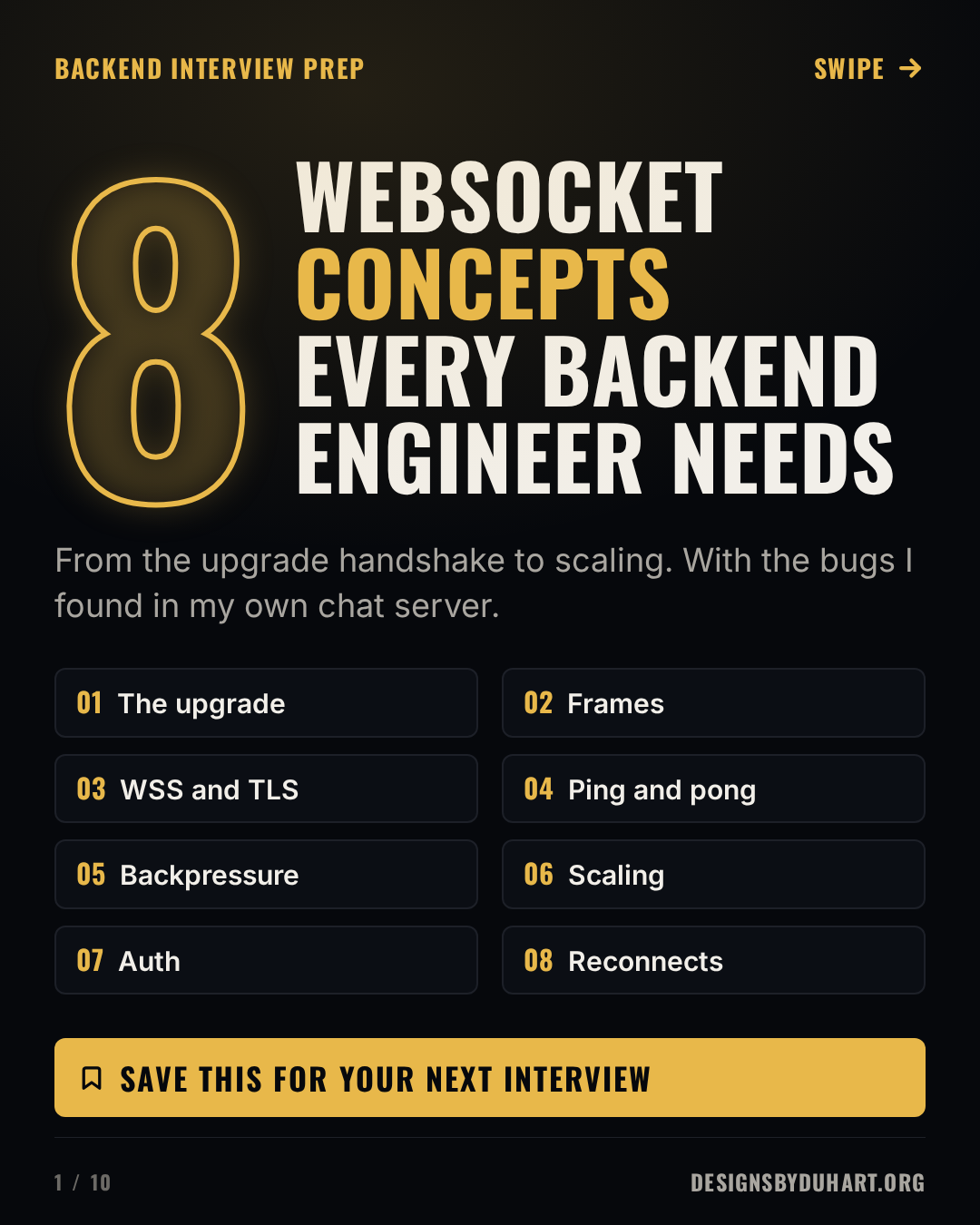
The upgrade handshake, frames, TLS, ping and pong, backpressure, scaling with pub/sub, auth and reconnects, with the bugs I found in my own chat server.
A WebSocket is the easy part
Opening a WebSocket takes one line. new WebSocket(url), an onmessage handler, done. Every tutorial stops there, and that's the problem, because almost everything that goes wrong with WebSockets in production happens after that line.
I run a real-time chat and call signaling service: Go with gorilla/websocket, Kafka between instances, Redis for presence and rate limits, Cloudflare in front. In August I wrote a 20 chapter manual for it with a register of every gap I found. Several of the bugs in that register are exactly the concepts interviewers ask about, so this post walks through eight of them, with the protocol detail first and the production lesson second.
WebSocket concepts every backend engineer needs
The 35 second version

1. It starts as HTTP
A WebSocket connection begins life as an ordinary HTTP/1.1 GET with two extra headers: Upgrade: websocket and Connection: Upgrade. The client also sends Sec-WebSocket-Version: 13 and a random base64 Sec-WebSocket-Key. If the server agrees, it answers 101 Switching Protocols, and from then on the same TCP connection carries WebSocket frames in both directions until somebody closes it.
The server proves it understood by returning Sec-WebSocket-Accept: the client's key concatenated with a fixed GUID from RFC 6455 (258EAFA5-E914-47DA-95CA-C5AB0DC85B11), hashed with SHA-1 and base64 encoded. That stops a confused HTTP server or cache from accidentally "accepting" a WebSocket. It is not authentication. Anyone can compute it.
The upgrade handshake
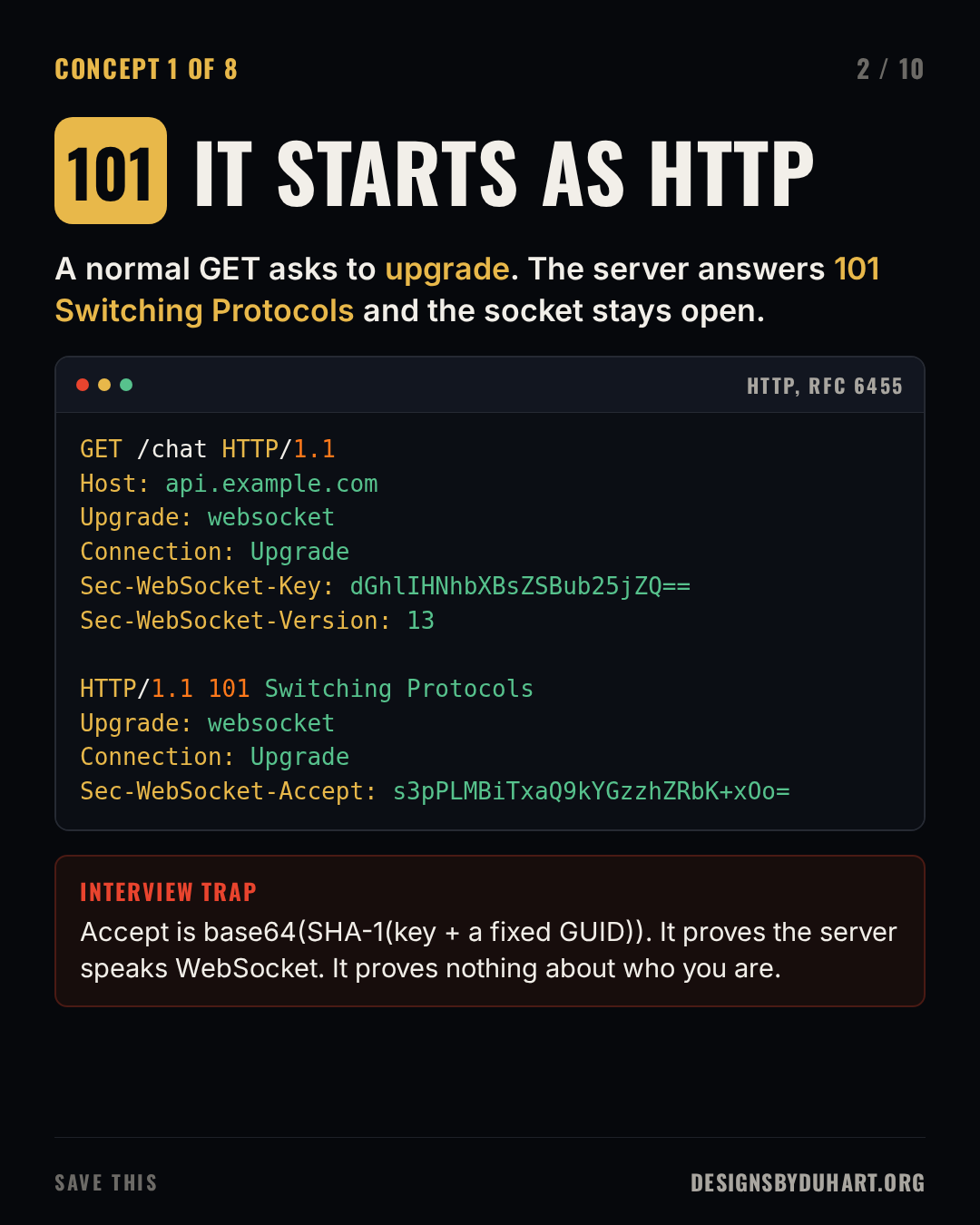
Computing Sec-WebSocket-Accept yourself. This prints the RFC 6455 example value.
import base64, hashlib

GUID = "258EAFA5-E914-47DA-95CA-C5AB0DC85B11"
key = "dGhlIHNhbXBsZSBub25jZQ=="
accept = base64.b64encode(hashlib.sha1((key + GUID).encode()).digest()).decode()
print(accept)  # s3pPLMBiTxaQ9kYGzzhZRbK+xOo=
Two follow-ups interviewers like. First, over HTTP/2 the upgrade dance doesn't exist; RFC 8441 bootstraps WebSockets with an extended CONNECT instead, so one HTTP/2 connection can carry many sockets. Second, because the upgrade is a plain GET, everything in front of your server (load balancer, CDN, proxy) has to pass the Upgrade header through. A surprising number of "WebSockets don't work" bugs are a proxy config that strips it.
2. Messages travel as frames
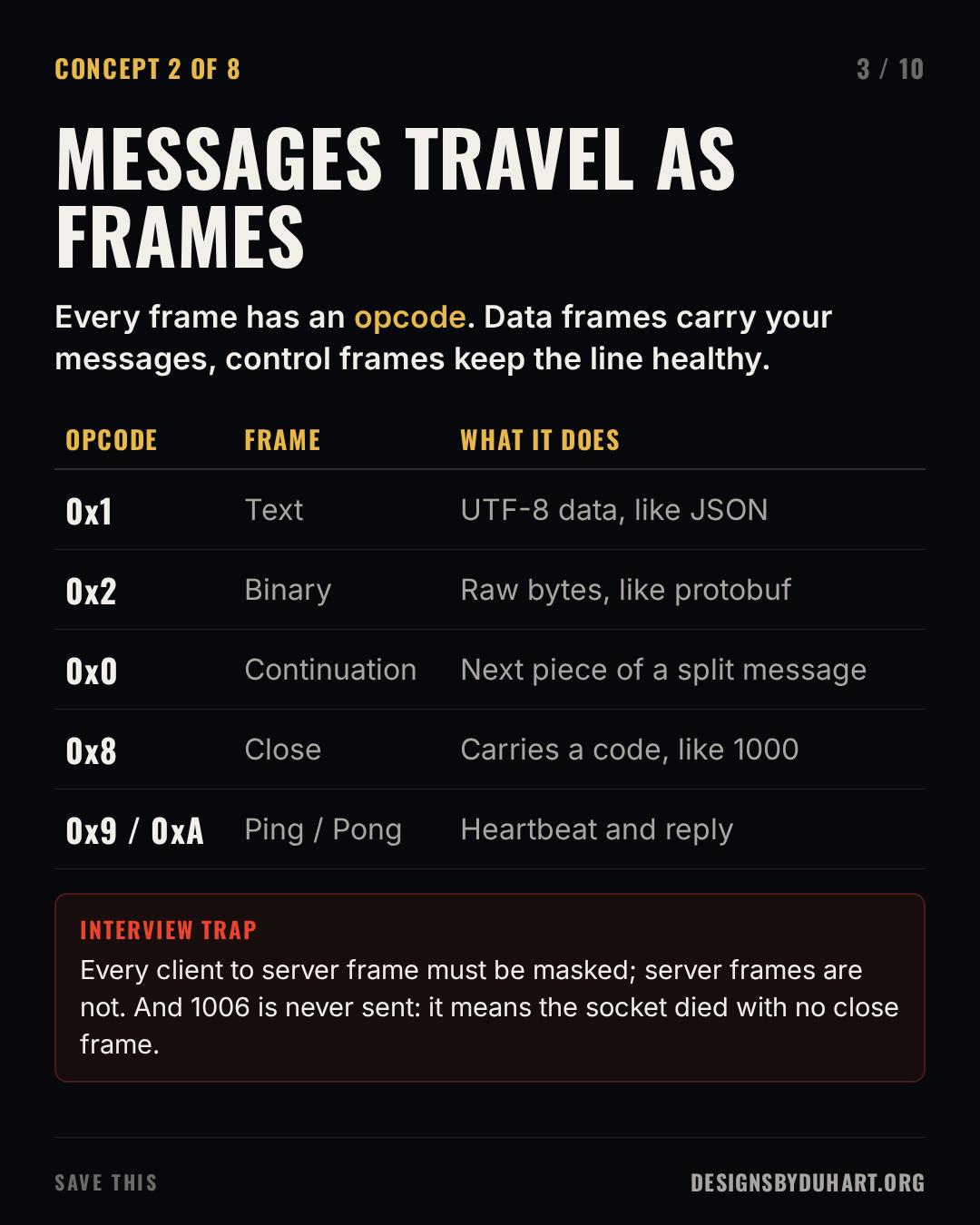
After the upgrade, data moves in frames. Each frame has a FIN bit (is this the last piece?), an opcode, a payload length and, from the client, a masking key. Text frames (0x1) must be valid UTF-8; binary frames (0x2) carry anything. A large message can be split across a first frame and continuation frames (0x0). Your WebSocket library reassembles them, so your code sees whole messages, but limits on message size apply to the reassembled message, which is why my server caps inbound messages at 1 MiB.
Control frames keep the connection healthy: close (0x8), ping (0x9) and pong (0xA). They can be interleaved between the fragments of a data message, and their payload is limited to 125 bytes.
Frames and opcodes
Two details that come up in interviews:
- Masking. Every frame from client to server must be masked with a random 4 byte key, and a server must close the connection if it gets an unmasked one. It isn't for secrecy. It stops a malicious page from crafting bytes that a naive intermediary cache could mistake for an HTTP request (cache poisoning).
- Close codes. A close frame carries a status code.
1000is a normal close,1001means going away (a server shutting down, a tab closing),1008is a policy violation,1011an unexpected server error.1006is the one you'll see most in logs, and it's never sent on the wire: it's what your library reports when the connection died without any close frame. When you see 1006, think network, proxy timeout or crash, not application logic.
3. Always use WSS
wss:// is WebSocket over TLS, the same way HTTPS is HTTP over TLS, and it normally runs on port 443. Use it everywhere. Privacy is the smaller reason. Plain ws:// on port 80 passes through proxies and middleboxes that think they understand HTTP and mangle or buffer the upgrade. Encrypted traffic on 443 looks like any other HTTPS connection and gets through. Browsers also block a page served over HTTPS from opening a ws:// socket, as mixed content.
WSS and TLS
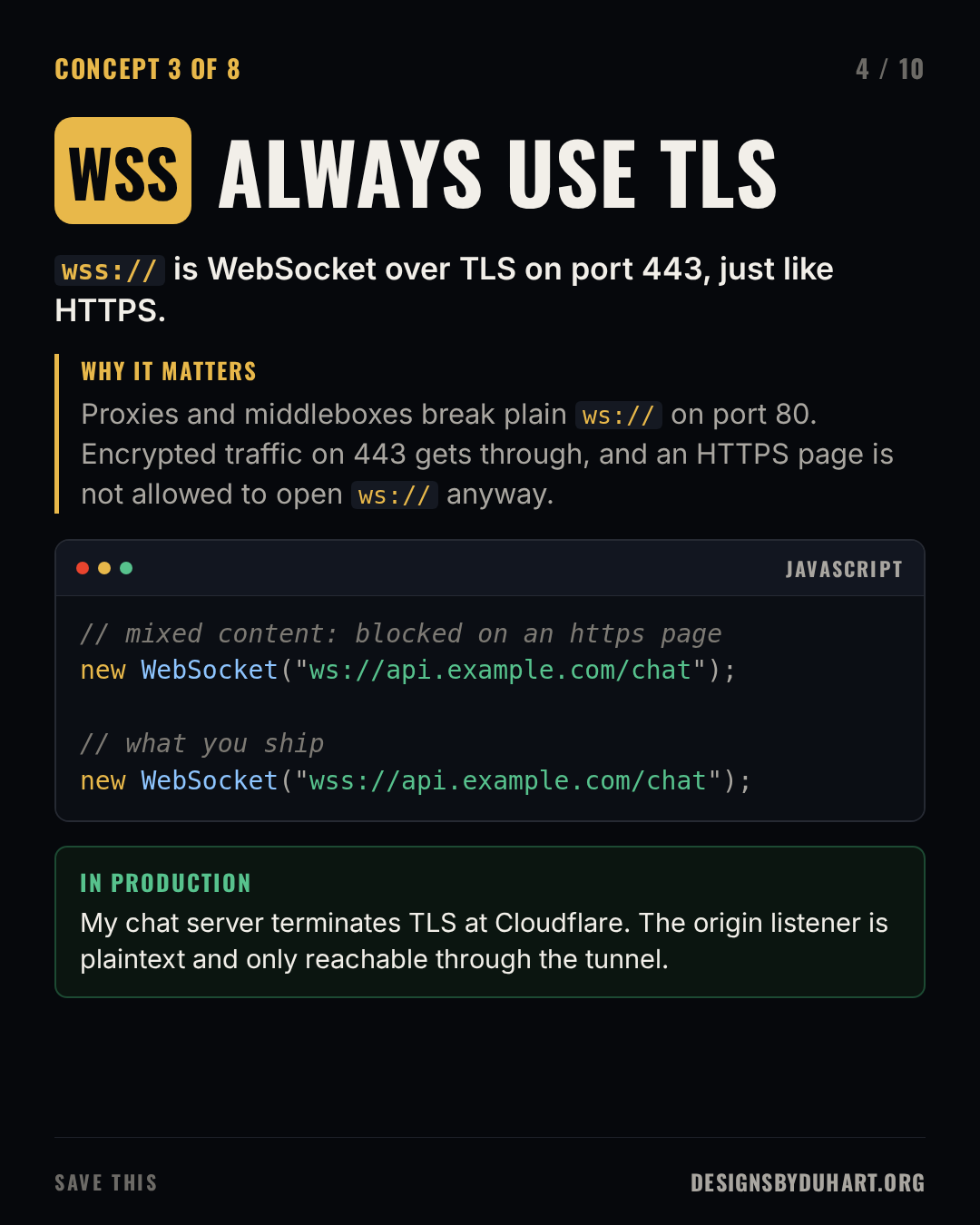
Where TLS terminates is a design decision. In my setup it ends at Cloudflare's edge; the origin listener speaks plain WebSocket and is only reachable through a Cloudflare tunnel, never from the internet. That's a common pattern, and it means the edge is now part of your WebSocket path: its idle timeouts, its header handling, its routing. The first finding in my manual was exactly that: the signaling hostname had no DNS record and the tunnel had no ingress rule for the socket port. The Go code was fine. Nobody could reach it.
4. Ping, pong, or it's dead
A TCP connection can die without either side noticing. A phone switches from wifi to cellular, a NAT forgets the mapping, a load balancer silently drops a flow that's been idle for 60 seconds. The socket on your server still looks open. It just never receives anything again. A dead connection and a quiet one look identical until you check.
So you check. The server sends a ping on a timer, the client's WebSocket implementation answers with a pong automatically, and the server sets a read deadline that every pong pushes forward. If the deadline passes, the connection is dead: close it and free its memory. My chat server pings every 30 seconds and drops any socket that hasn't been heard from in 60. The ping traffic also keeps idle connections from tripping proxy timeouts.
Heartbeats
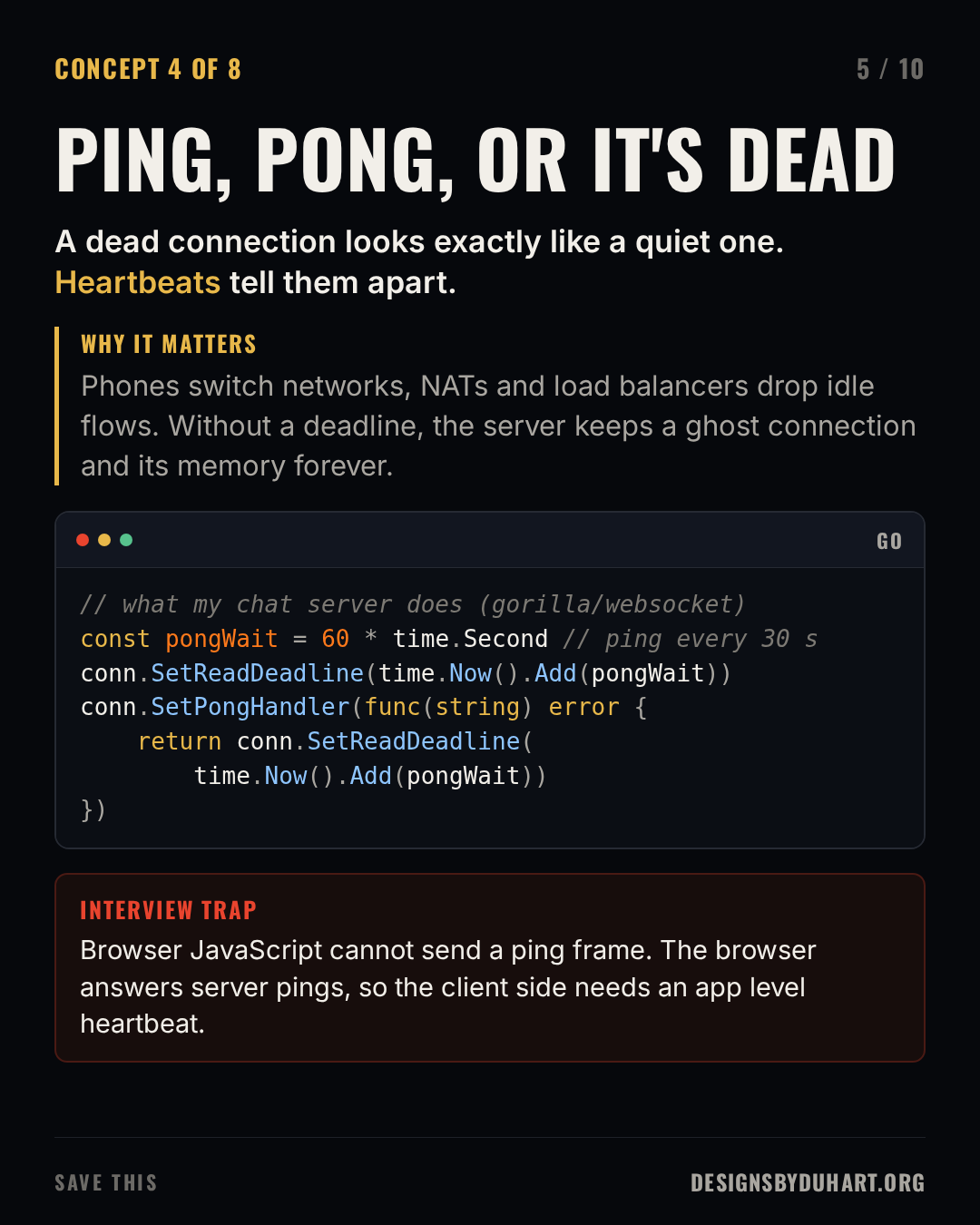
The heartbeat in a gorilla/websocket server: a writer goroutine pings on a ticker, and the reader keeps extending its deadline whenever a pong arrives.
const (
    pongWait   = 60 * time.Second
    pingPeriod = 30 * time.Second
)

func readPump(conn *websocket.Conn) {
    conn.SetReadLimit(1 << 20) // 1 MiB
    conn.SetReadDeadline(time.Now().Add(pongWait))
    conn.SetPongHandler(func(string) error {
        return conn.SetReadDeadline(time.Now().Add(pongWait))
    })
    for {
        if _, msg, err := conn.ReadMessage(); err != nil {
            return // deadline passed or closed: clean up
        } else {
            handle(msg)
        }
    }
}

func pinger(conn *websocket.Conn, done <-chan struct{}) {
    t := time.NewTicker(pingPeriod)
    defer t.Stop()
    for {
        select {
        case <-t.C:
            deadline := time.Now().Add(10 * time.Second)
            if err := conn.WriteControl(websocket.PingMessage, nil, deadline); err != nil {
                return
            }
        case <-done:
            return
        }
    }
}
The trap: browser JavaScript has no API to send a ping frame. Browsers answer pings from the server, but if the client also needs to notice a dead connection (to show "reconnecting" instead of a frozen chat), it has to send an application level heartbeat, a small JSON message on a timer, and treat a missing reply as a dead socket. My clients send a presence ping every 30 seconds, which doubles as that heartbeat.
5. Backpressure: slow clients eat memory
A server can produce messages much faster than a phone on bad wifi can read them. If each connection has an unbounded outgoing queue, one slow client grows that queue until the process runs out of memory. Backpressure is the set of decisions you make instead: bound the queue, and decide what happens when it's full. You can drop messages that a newer one makes obsolete (cursor positions, typing indicators), merge updates, slow the producer, or disconnect the client and let it reconnect and resync.
My server uses a bounded channel per connection with a single writer goroutine, and a full channel disconnects the client. That's a good policy for a chat server: memory stays flat, and a reconnecting client fetches what it missed. But the bound matters. It started at 64 messages, and my audit found that a burst of call setup signals (ICE candidates arrive in bursts) on a congested link could fill it and drop the call in the middle of connecting. It's 512 now, and the "send buffer full" log line has an alert on it.
Backpressure
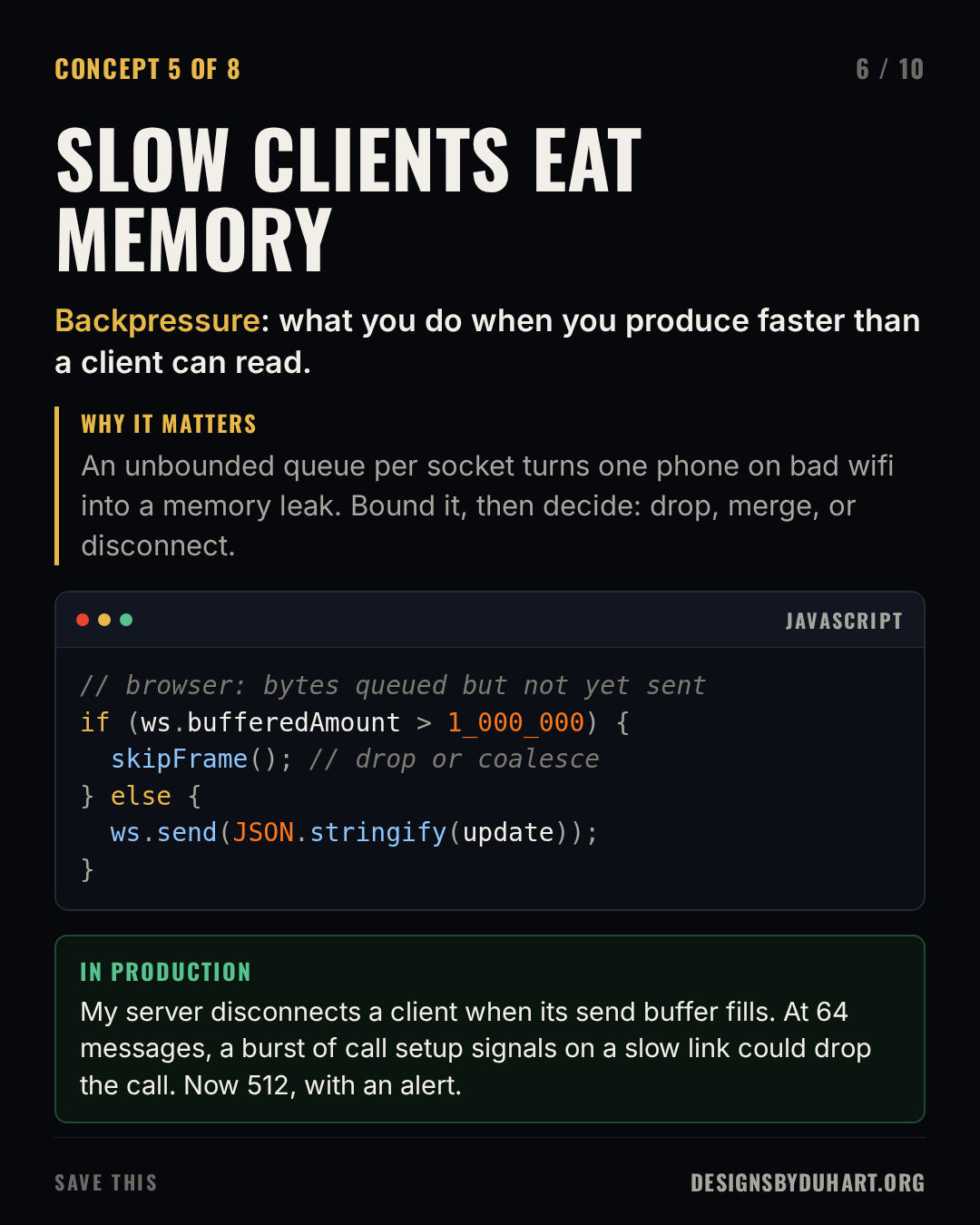
In the browser, the same signal is WebSocket.bufferedAmount: the number of bytes you've passed to send() that haven't gone out on the network yet. If it keeps growing, you're producing faster than the connection can carry, and you should skip or coalesce updates. Chromium also has a newer WebSocketStream API with stream based backpressure built in; check support before you depend on it.
6. Scaling: the user is on another server
A WebSocket is stateful. Once it's open, it lives on one process on one machine. With one server, sending a message to a user is a map lookup. With ten, the user you want to reach is probably connected to a different instance than the one handling the request.
Two ideas get mixed up here. Sticky sessions make a load balancer send a client back to the same instance, which matters when that instance holds state for it (and for transports like long polling that make many requests). They do nothing for delivering a message to someone connected elsewhere. That needs fan-out: every instance subscribes to a shared bus (Redis pub/sub, NATS, Kafka), a message for a user is published once, and whichever instance holds that user's socket delivers it.
Scaling with pub/sub
![Slide 7 of 10: THE USER IS ON ANOTHER SERVER. Each socket lives on one instance. To reach a user, publish to a pub/sub bus every instance hears. Why it matters: Sticky sessions keep a client on the server that holds its state. They do not deliver a message to someone connected somewhere else. Fan-out does. A code card (python) shows: # every instance runs this (Redis pub/sub) async for msg in pubsub.listen(): for ws in local_sockets(msg["to"]): await ws.send(msg["data"]) From my audit: I found every instance of my chat service in one Kafka consumer group. That load balances instead of broadcasting. Fix: one group per instance.](https://media.designsbyduhart.org/viral/c8f00225b84ee92e.png)
Fan-out with Redis pub/sub (redis-py asyncio). Every instance runs the listener; only the one holding the socket sends anything.
import json
import redis.asyncio as redis

r = redis.Redis()
sockets: dict[str, set] = {}          # user id -> this instance's sockets

async def send_to_user(user_id: str, data: str):
    await r.publish("chat", json.dumps({"to": user_id, "data": data}))

async def listen():
    pubsub = r.pubsub()
    await pubsub.subscribe("chat")
    async for msg in pubsub.listen():
        if msg["type"] != "message":
            continue
        m = json.loads(msg["data"])
        for ws in sockets.get(m["to"], ()):
            await ws.send(m["data"])
This is where my favourite bug from the audit lives. My service fans out call signals across instances through Kafka. Every instance was configured with the same consumer group id. In Kafka, consumers in one group split the partitions between them: that's load balancing, the opposite of broadcast. With one instance it's invisible. With two, each signal reaches only one of them, so roughly half the time it lands on the instance that doesn't hold the callee's socket and is silently discarded. With N instances, (N-1)/N of them vanish. The fix is a unique group per instance, so every instance sees every message. If you use Kafka for fan-out, check this first.
Redis pub/sub has the opposite tradeoff: every subscriber gets every message, but delivery is fire and forget. A subscriber that's disconnected for a moment misses messages, so clients need a way to catch up (a sequence number and a "give me everything after N" call) when they reconnect.
7. Auth without headers
The browser WebSocket constructor takes a URL and an optional list of subprotocols. It can't set an Authorization header. So you choose a tradeoff:
- Cookies. The browser sends them on the upgrade automatically. That convenience is also the danger: a malicious page can open a socket to your server and the browser will attach the user's cookie. This is cross-site WebSocket hijacking, and the defence is to check the
Originheader on the upgrade against an allow list. - A token in the query string. Simple, and what my chat service does today (a JWT with a one hour lifetime). The downside is that URLs end up in access logs, proxies and monitoring, so keep the token short lived.
- A one-time ticket. The client makes an authenticated HTTP call, gets a random ticket valid for a few seconds and a single use, and puts that in the URL. The log leak no longer matters. This is the one I'd pick for a new system.
- Auth as the first message. Open the socket, require an auth message within a second or two, close it if it doesn't come. Works, but the server holds unauthenticated sockets for a moment.
Authentication options
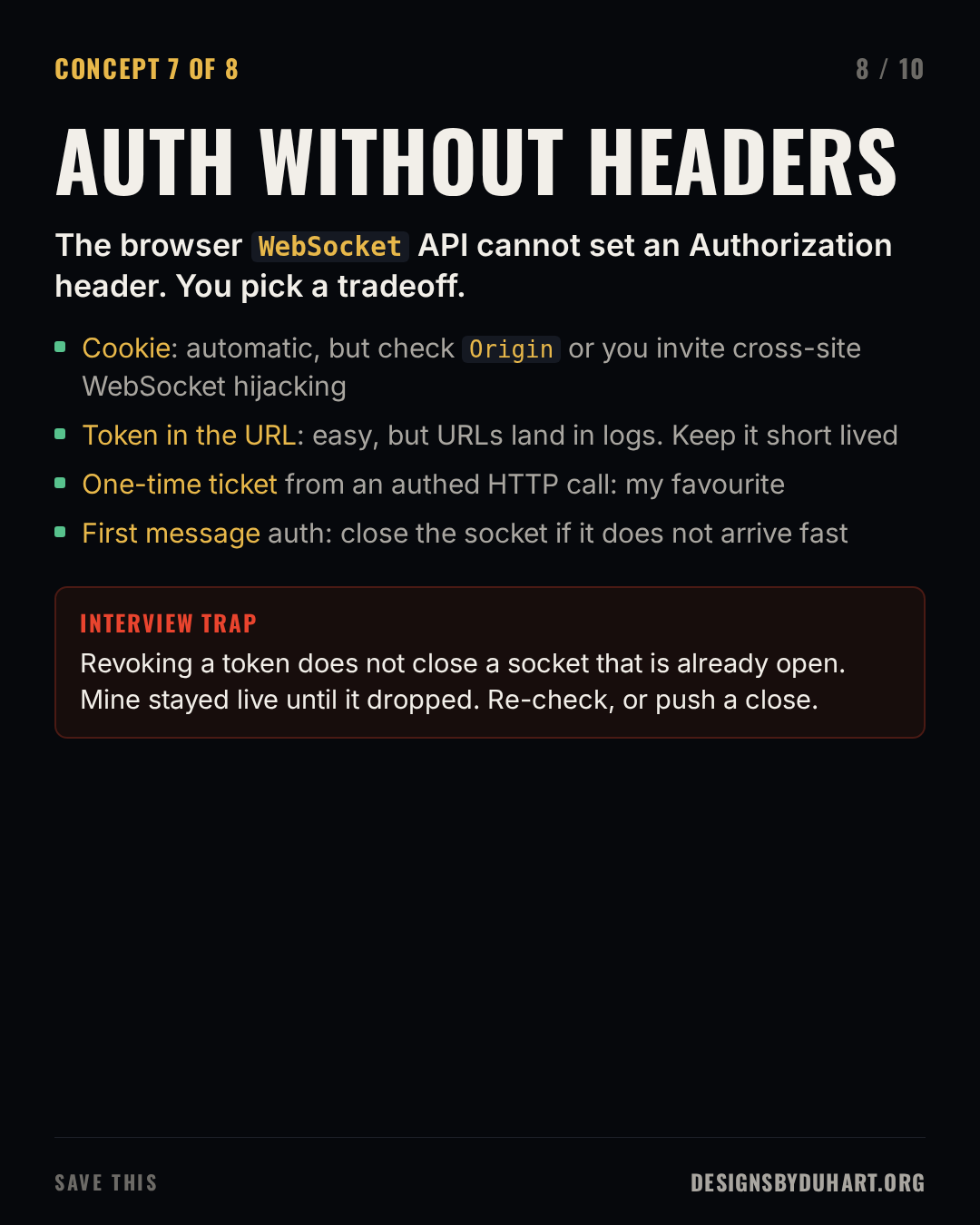
Two lessons from my own service. The origin check needs to handle native clients: my server required an Origin header that matched the allow list, but the iOS client's WebSocket sends no Origin at all, so the check would have rejected every iPhone. Allow an absent Origin for native clients and constrain the browser origins. And authentication happens once, at the upgrade. Revoking a token later does nothing to a socket that's already open; mine stayed live until it dropped on its own. If revocation matters, re-check periodically or push a close to the sockets of a revoked session.
8. Reconnect with jitter
Connections drop: deploys, network changes, a laptop lid. Clients have to reconnect, and the naive version (retry immediately, forever) turns a blip into an outage. Exponential backoff spaces the attempts out: 500 ms, 1 s, 2 s, 4 s, capped at something like 30 s.
Backoff alone isn't enough. When you deploy, every client disconnects in the same second, and with identical backoff schedules they all retry in the same second too, a thundering herd that can knock the fresh instances over. Jitter fixes it by randomising each delay. My web client backs off from 500 ms to 30 s with jitter. My audit found the iOS client had the same backoff with no jitter, which means a server restart brings every phone back at the same instant.
Backoff with jitter
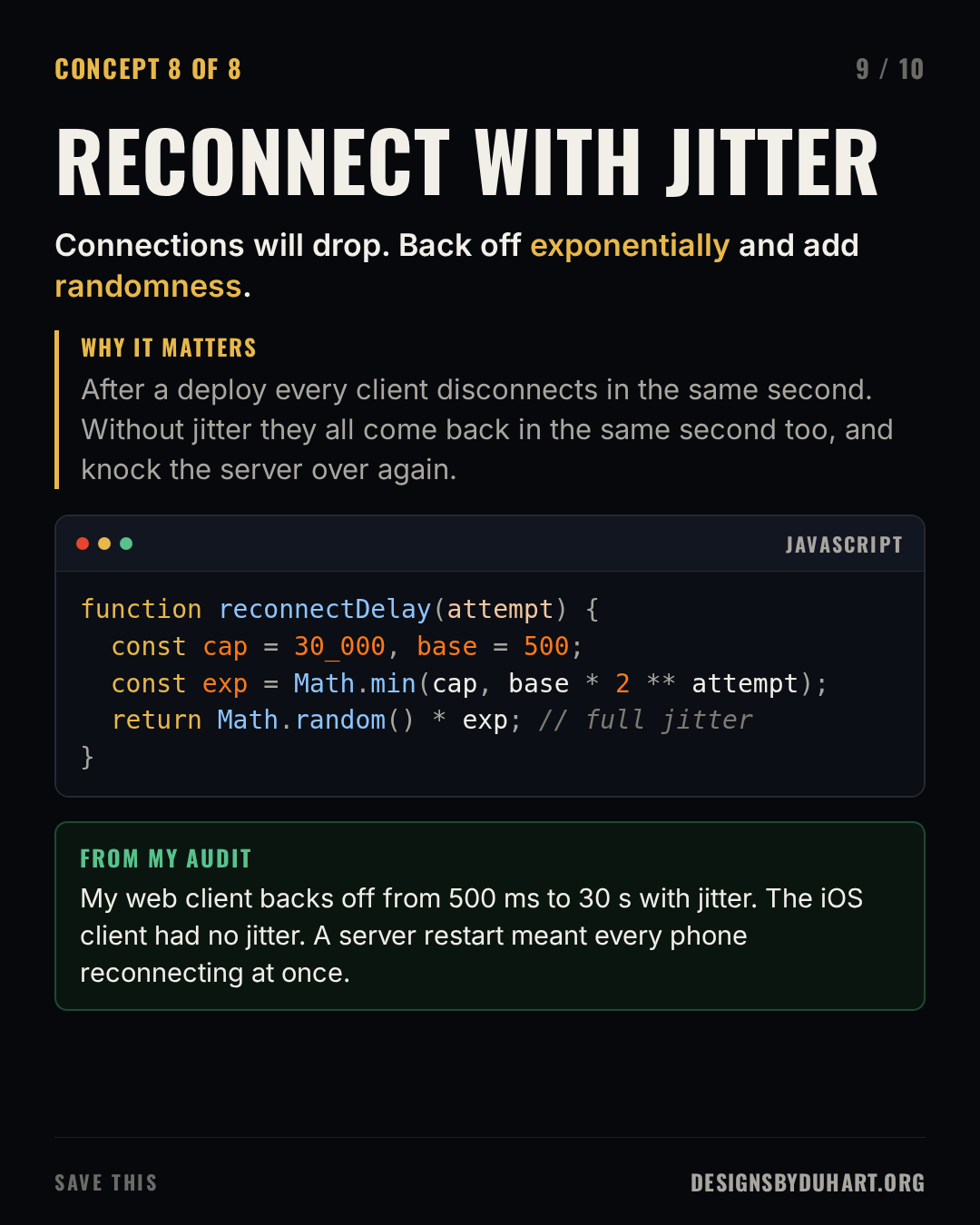
A small reconnecting client: full jitter backoff, reset after a healthy connection, and a resume cursor so the server can send what was missed.
let attempt = 0;
let lastSeq = 0;

function connect() {
  const ws = new WebSocket(`wss://api.example.com/chat?after=${lastSeq}`);
  ws.onopen = () => { attempt = 0; };
  ws.onmessage = (e) => {
    const msg = JSON.parse(e.data);
    lastSeq = msg.seq;              // remember where we are
    render(msg);
  };
  ws.onclose = (e) => {
    if (e.code === 1008) return;    // policy violation: do not hammer
    const cap = 30_000, base = 500;
    const delay = Math.random() * Math.min(cap, base * 2 ** attempt++);
    setTimeout(connect, delay);
  };
}
connect();
Reconnecting the socket is half the job. The other half is the state: the client should tell the server where it left off (a sequence number or last event id) so the server can replay what was missed, and messages the client re-sends should carry an id so the server can drop duplicates.
How I'd answer in an interview
If someone asks you to design a chat system, the socket is one box on the whiteboard. The questions that show experience are the ones in this post: how do you know a connection is dead, what happens when a client is slow, how does a message reach a user on another server, how do you authenticate without headers, and what happens when every client reconnects at once. Have an answer for each, and a story if you've got one. I clearly have a few.
Save it for your next system design interview
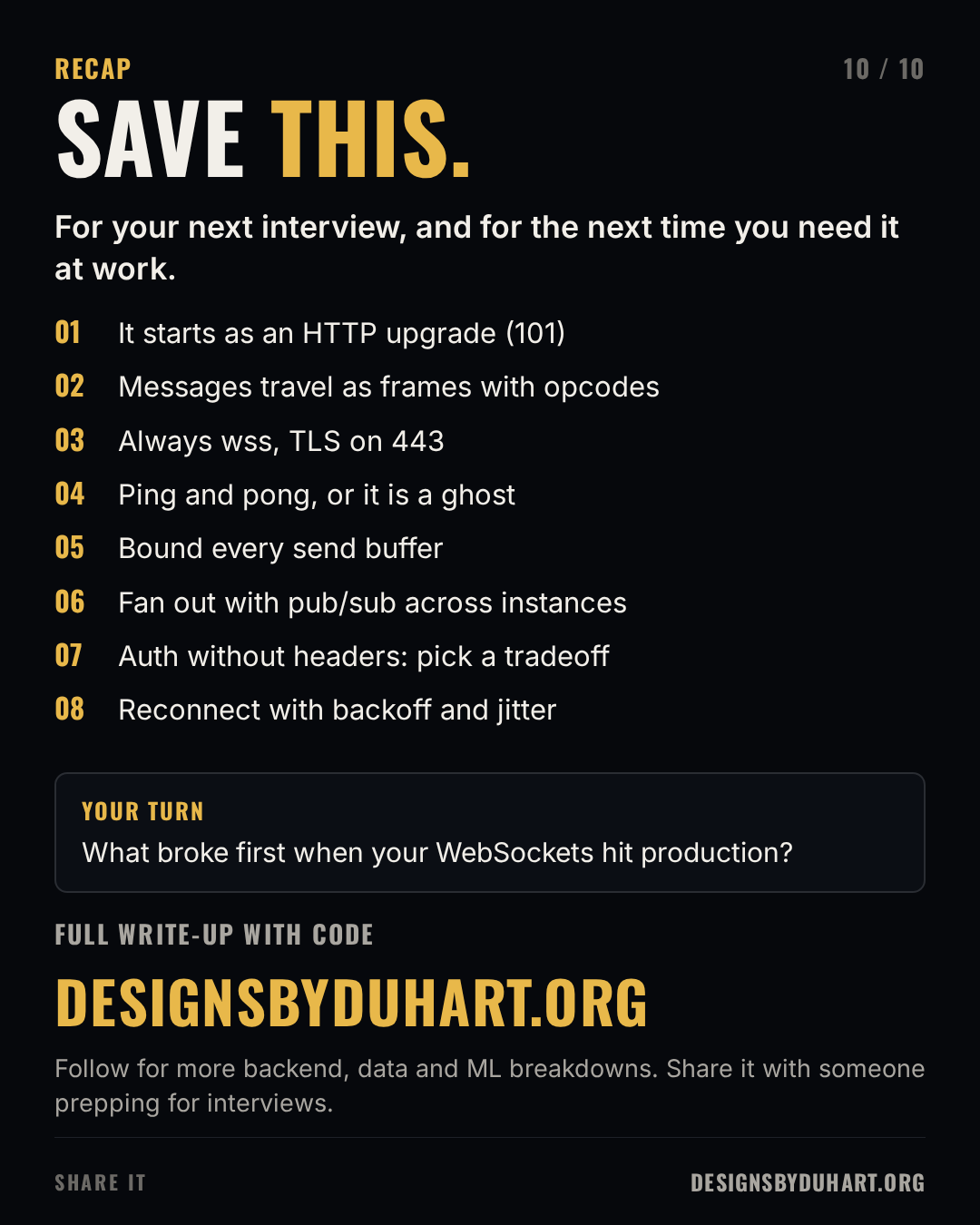
Next in the interview series: CI/CD pipelines, the stages and the GitLab CI file I would show in an interview.
More: LinkedIn · Instagram. Portfolio and case studies: designsbyduhart.org.
If any of this saved you an afternoon, Buy me a coffee.